This guide provides step-by-step instructions on how to install an aftermarket radio in your Ford Taurus. It covers everything from necessary tools and wiring to connecting the antenna and setting up climate control. With this guide, you can upgrade your car's audio system and enjoy enhanced features.
What You'll Need
Here's what you need to get started:
- Aftermarket radio
- Stereo harness
- Ford harnesses
- Soldering iron (optional)
- AM/FM antenna adapter
- Canbus decoder box
Step-by-Step Installation
Follow these steps to install your new radio:
1. Wiring Connections
Connect the wires from the stereo harness to the Ford harnesses according to their color. Connect yellow to yellow, red to red, blue to blue, and so on. Some wires may not be used for every application; this is normal.
The harness is now finished.
Read also: Comprehensive Guide: 2006 Ford Taurus Catalytic Converter
2. Disconnecting the Factory Radio
Disconnect the antenna and two other plugs from the factory radio.
3. Locating Connectors
Reach into where you pulled the factory radio out and look for these two connectors. Gen 1 SHOs will be plugged into another connector, just like in the picture. If you have a Gen 1, unplug them and tuck the other side back into the dash and out of the way.
4. Connecting the Harness and Antenna
Plug the harness and antenna cable into your head unit. Connect the male RCA on this connector to a yellow female RCA tagged "camera" on the AV out cable.
5. Hazard Cable Connection
Next, connect the hazard cable. Locate the two plugs, one black and one grey. You will only need ONE of them.
6. Antenna Adapter
Connect the AM/FM antenna adapter to the vehicle. You may want to use an aftermarket antenna to get more stations if you listen to a lot of radios.
Read also: Exploring the Last Taurus
7. Canbus Decoder Box
Connect both ends of the decoder box to the main harness. Please do NOT connect any of the loose wires and two prone black connectors on the main harness. On the main harness, please connect the black 20 pin connector to spot "A" on the brain box. Then connect a white rectangle connector to spot "J" at the back of the radio.
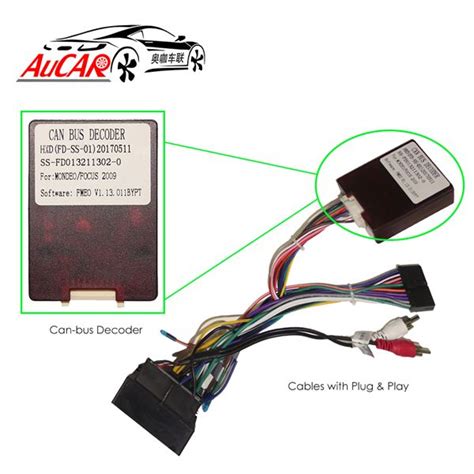
You can check and refer to these locations on the chart behind the radio.
How to Upgrade Your Head Unit - Super DIYs
8. Climate Control Settings
Please make sure the canbus decoder box is connected. For climate control, go to setting - install set - 8861 or 1680 - car type - choose Taurus H if the factory comes with automatic AC. Choose Taurus L if the factory comes with manual AC. Then keep the protocol as "Tangdu" (DO NOT change this).
9. SONY System Sound Issue
If your vehicle comes with a SONY system and the radio produces no sound after installation, locate the violet/black wire circled in the picture. Then locate this grey wire on our radio.
Troubleshooting
Here are some common issues and how to resolve them:
Read also: Engine Details: 2003 Taurus
- No Sound: Ensure all wiring connections are secure and the canbus decoder box is properly connected. Check the violet/black wire for SONY systems.
- Climate Control Issues: Verify the correct car type (Taurus H or Taurus L) is selected in the installation settings.
- Poor Radio Reception: Use an aftermarket antenna to improve reception.
Wiring Diagram
The following table provides a general wiring diagram for connecting the aftermarket radio to the Ford Taurus:
| Wire Color (Stereo Harness) | Wire Color (Ford Harness) | Function |
|---|---|---|
| Yellow | Yellow | 12V Constant |
| Red | Red | 12V Switched |
| Black | Black | Ground |
| Blue | Blue | Power Antenna |
| Violet/Black | Grey | SONY System Sound |