As the weather cools down, gloves become essential for keeping your hands warm during outdoor activities. But how can you use touchscreen devices like phones or tablets while wearing gloves? This article explains how to make your gloves touchscreen-compatible with some simple DIY methods.
There are several ways to ensure your gloves work with touchscreens, whether you're buying new gloves or modifying existing ones.
Choosing Touchscreen-Compatible Gloves
When purchasing gloves, confirm whether you need touchscreen compatibility. If so, you can request gloves with this feature from the supplier, which can solve 99% of the problems.
DIY Methods for Touchscreen Compatibility
If you've already purchased your gloves but need to use your phone or tablet while wearing them, here are a few methods to try:
1. Sew Conductive Thread into the Fingertips
This method involves adding conductive thread to the fingertips of your gloves, allowing them to interact with touchscreens.
Read also: How to Make Her Miss You (Sagittarius)
- Insert about twelve inches of conductive thread into a needle, tie a small knot at the end, and sew it through the fingertip area of the glove.
- Stitch back and forth to ensure the creation of small conductive zones.
- Trim any excess thread afterward.
- Wear the gloves and try using your device to check if it works. If the response is weak, you can sew a few more stitches to improve conductivity.
What's conductive thread? It's a special type of thread that allows electricity to flow through it, enabling your gloves to interact with touchscreens. You can find conductive thread at specialized retailers like SparkFun, Adafruit, or Sternalb. Be sure that the seller lists conductivity data (ohms per foot or similar).
Here's a simple guide to sewing the conductive thread:
- Thread your needle. You don't need a whole lot of thread, just a foot or so.
- Sew a few stitches in the finger of your glove. On the outside try to make the stitches pretty close so it only touches the screen in a smallish area (about 1/4" or 6mm in diameter.) This will help your finger touches be more accurate.
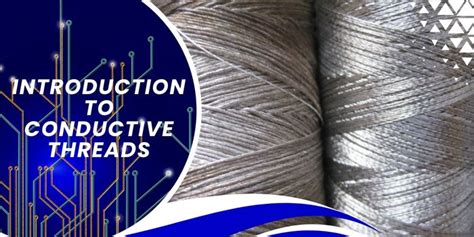
Sewing conductive thread into glove fingertips.
2. Apply Conductive Material to the Fingertips
Use a brush to carefully apply a layer of conductive material to the glove’s fingertips, then allow it to dry in a well-ventilated area.
3. Stick Conductive Gel Pads to the Fingertips
Peel the backing off the conductive gel pads and stick them to the glove’s fingertips.
Read also: Detailed Review of Arccos Golf
4. Sew Conductive Fabric into the Fingertips
Use a needle and thread to secure conductive fabric to the glove’s fingertips, ensuring that it touches your skin when worn.
Note: Make sure the gloves stay dry during the process.
DIY methods have certain limitations, so if these options don’t work, you may want to purchase gloves specifically designed for touchscreen use.
Testing Touchscreen Compatibility
Wear your DIY gloves and try interacting with your electronic devices. Pay attention to any issues or difficulties you experience when using the touchscreen.
Maintaining Touchscreen Compatibility
To ensure your gloves continue to work with touchscreens, follow these maintenance tips:
Read also: Apps for Oura Ring Users
Regular Cleaning
All gloves need regular cleaning to prevent dirt, oil, and debris from accumulating, which can affect their performance. Use a cleaner that won’t damage the conductive fibers, hand wash the gloves, and let them air dry in a shaded area. Avoid using a blow dryer or drying machine, as this can cause the gloves to harden.
Reapply Conductive Treatment
If the conductive fibers wear off after cleaning, you can reapply the treatment to restore touchscreen compatibility. Products like AnyGlove® Ultra can be used to reapply a conductive layer to your gloves.
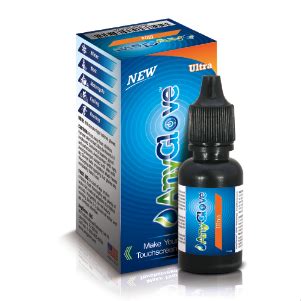
AnyGlove® Ultra for restoring touchscreen compatibility.
Why choose AnyGlove® Ultra? It works on all types of gloves, allowing you to use your favorite pair with touchscreens. It’s a cost-effective alternative to buying multiple pairs of touchscreen gloves.
Avoid Overstretching
Avoid overstretching the gloves to prevent damage to the internal fibers.
Regular Inspection
Periodically check the gloves for any signs of wear or damage to ensure they continue to function properly.
Repairing and Reapplying Conductivity
Touchscreen gloves are not permanently compatible with touchscreens, and their conductivity will diminish over time. If this happens, you can try some repair methods, such as adding another layer of conductive material to the fingertips or purchasing conductive paint designed for touchscreen gloves. Apply it directly to the fingertips.
Alternative: Using a Stylus
If wearing gloves is inconvenient for you, consider using a stylus as an alternative. Styluses are designed to mimic the touch of your finger on a phone or tablet screen, offering an accurate touchscreen solution.
Other Tips:
- Sometimes, leather gloves have a "sweet spot" that works with smartphones, even if it's not the fingertip. Try using the inner index seam or the outer edge of the pinky.
- Be cautious of sparkly thread sold as "conductive thread" online, as it may not actually be conductive.
The Fix - Make any gloves work with touchscreens
tags: #how #to #make #gloves #touchscreen #compatible