If you own a Peloton exercise device, such as a Bike, Bike+, Tread, Guide, or Row, you can enhance your workout experience by integrating it with compatible watches and fitness apps. Discover the perks of connecting with Peloton and the easy steps to get started.
Which Wearables and Fitness Apps Can Be Integrated with Peloton?
You can now sync your Peloton profile with Apple Health, Garmin Connect, and Fitbit. Setting up these data integrations allows your activity data to be shared with Peloton.
That means your completed workouts outside of Peloton count toward metrics like your activity calendar, total activity count, Personalized Plans, activity goals and certain activity Challenges. Workouts completed outside of Peloton will not count for Streaks, milestones (i.e. 100 rides), and certain challenges.
The Benefits of Syncing Your Wearables and Fitness Apps with Peloton
Linking your preferred wearable or fitness app isn’t just a way to capture when and how you’re moving. Here are some of the benefits of syncing this data with Peloton:
Unified Fitness Hub
You took a Peloton stretching class in the morning, went for an outdoor walk on your lunch break, and powered through an in-person cardio class in the evening-but the fitness data from all this activity is spread out across different apps and trackers. Not anymore! With these integrations, you’ll get a better picture of your overall activity all in one place.
Read also: Detailed Review of Arccos Golf
Plus, data from your connected app or wearable will count towards those activity trends in the Peloton App that you love-like time and distance trends and 30-day stats. That way, Peloton can be the central hub for all things fitness, wherever you get your movement in.
Credit for Your Work
You deserve the rewards for staying consistent, no matter how you choose to do it. Whether you take a Peloton class, use another app that’s integrated with your wearable, or do your own thing, any and all activity from your connected wearables and fitness apps will get you credit for certain Peloton Challenges, like your Annual Activity Challenge.
Part of a Peloton Team? You’ll also get credit in Team Challenges, the Team Leaderboard, and in your Team feed. Workouts completed outside of Peloton will not count towards Streaks and certain challenges.
Smarter Insights
Everyone is different, and with integrated wearables, you’ll get even better suggestions for workouts tailored to your specific goals and needs. The data from your fitness apps and wearable trackers will help inform your Personalized Plan, Peloton class recommendations, and personalized insights.
You’ll get a better picture of what you need to do to get faster, stronger, or work towards whatever goal you’re aiming for!
Read also: Apps for Oura Ring Users
How to Sync a Garmin Watch with Peloton
How to Sync Your Wearables and Fitness Apps to Peloton
Before getting started, make sure your Peloton App is updated to the latest version. Ready to go? Follow these simple steps to get your wearable or fitness app synced with Peloton, then show us what you got.
Apple Health
- Open the Health App on your iOS device and select Sharing.
- Select apps, then scroll to find Peloton.
- Pick which activity categories Peloton can access. (“Read” access allows Peloton to pull activity from the Health app into the Peloton App, and “Write” access will import your Peloton workouts to show in the Health app.)
Garmin Connect
- In the Peloton App, navigate to the Profile tab in the bottom right corner.
- Select the “More” menu in the top right corner, then scroll down to Add-ons.
- Select Garmin Connect under Permissions.
- Follow the on-screen instructions to sync your Garmin with the Peloton App.
Fitbit
- In the Peloton App, navigate to the Profile tab in the bottom right corner.
- Select the “More” menu in the top right corner, then scroll down to Add-ons.
- Select Fitbit Connect under Permissions.
- Follow the on-screen instructions to sync your Fitbit with the Peloton App.
Additional Tips and Considerations
Within the Peloton App, you’ll be able to adjust your settings for what data you share and what activities are imported. Here are a few things to keep in mind:
- You can choose to auto-import activities, which will automatically pull your workout data from your fitness app or tracker into your Peloton Workout History. You can select specific activities to auto-import or leave it without personalization to capture all your workout data.
- You can turn off auto-import entirely and manually choose which workouts to count. Visit your wearable settings in the Peloton App to view all your activity from the past seven days, then select the specific workouts to add.
- If you connect multiple apps or wearables, Peloton will automatically check to prevent duplicates. If a workout has already been recorded on Peloton or imported another app and we detect a duplicate, only one copy will be saved in your Peloton Workout History.
- If you don’t see a workout in your Peloton App, select the + button from your Peloton Workout History to add it manually.
Galaxy Watch Compatibility
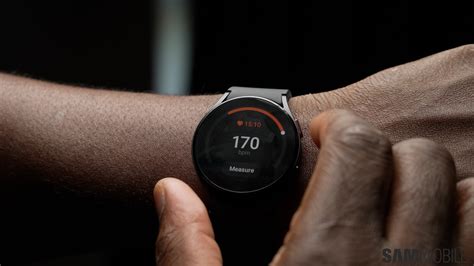
If you own a Peloton exercise device, such as a Bike, Bike+, Tread, Guide, or Row, you’ll be happy to know that they are now compatible with your Galaxy Watch5 and Galaxy Watch6 series devices!
An active Peloton subscription and Galaxy phone running Android 8 and later are required to use the Peloton App One or Peloton App+ with your Galaxy Watch4 and newer series.
Getting your workout started with your Galaxy watch and Peloton device is simple! Search for and select Peloton App, and then tap the down arrow next to Install. Make sure your phone is selected, and then select your Galaxy Watch4 or Galaxy Watch5. Tap Install to install the app on both devices.
Read also: What is S3-Compatible Storage?
Next, strap on your Galaxy watch, and then navigate to and open the Peloton App on your watch. Log into the app using your Peloton account credentials.
Google Services on Wear OS Galaxy Watches
The OS on the Galaxy Watch4, Watch5, and Watch6 series gives you access to Google services! These include apps like Google Maps for quick GPS navigation and Google Fit trackers to help you stay healthy.
Google Fit trackers on Wear OS Galaxy Watches Galaxy watches running Wear OS are the perfect additions to your health and wellness routine. They’re compatible with Google Fit trackers, which allow you to track important physical information like heart rate while you’re working out.
Apple Watch vs. Garmin: A Comparison
In terms of syncing with the Peloton Bike and Tread, both the Apple Watch and Garmin will sync (however this isn’t the case with the Peloton Guide - Apple Watch is not currently supported). The Apple Watch uses Bluetooth to connect to the bike and tread.
The signal isn’t as reliable, as the watch may drop connection during different times of the workout. With Garmin, syncing is seamless and consistent. Garmin uses ANT+ to connect, which is a stronger and more stable connection.
Battery life is another very important metric. A Garmin watch battery will last up to 7 days on a single charge, even with using it everyday for a workout. Data is incredibly important as well. The Garmin gives even more insights and data into workouts than the Apple Watch does.
Here's a comparison table to help you decide which watch is best for you:
| Feature | Apple Watch | Garmin Watch |
|---|---|---|
| Connection Stability | Less reliable (Bluetooth) | More stable (ANT+) |
| Battery Life | Shorter | Longer (up to 7 days) |
| Data Insights | Basic overview | More detailed |
| Peloton Guide Compatibility | No | Yes |
With Garmin, you’ll need to start an outdoor run on the watch and start a Peloton Outdoor run on your phone. The Peloton app will still track your mileage so you’ll get credit, but there is a discrepancy between the watch and Peloton app, mostly caused by the Peloton App using cell phone towers to determine your distance while the watch uses actual GPS.
The Apple Watch is more accurate on the Peloton Tread and Bike because it can sync to the Peloton app to grab the mileage. Garmin can only broadcast heart rates so doesn’t capture the same mileage the bike and tread will have.
On the Peloton bike, there isn’t a way for Garmin to capture mileage unless you go in after and enter it into Garmin connect. However, in terms of GPS Garmin is more accurate.
No matter what wearable you use, connecting it with Peloton can help you get even more out of your Membership. Try out the new integrations today to start leveling up tomorrow.
tags: #peloton #compatible #watches