If you own an iPhone 11 or a newer model, your device is compatible with iOS 26, Apple's latest operating system. Apple has officially rolled out iOS 26.2, but don't expect to see that update notification if you're holding onto hardware older than the iPhone 11. In fact, you may not have access to the iOS 26 update at all.
iOS 26 supports iPhone 11 and later models, delivering new features, performance improvements, and enhanced security. The iPhone 17 will come loaded with iOS 26.
But is your device compatible with these updates? We've got everything you need to know below.
Older models are not compatible but will continue receiving security updates via iOS 18. While you won't get to experience the new Liquid Glass redesign or the advanced spam call blocking without an upgrade, Apple isn't abandoning you entirely -- older devices will continue to receive critical security patches for iOS 18 and iOS 16.
As of the end of September 2025, iOS 26 had captured a 30.15% share (combined with the iOS 19/26 group in TelemetryDeck data) among active devices.
Read also: Is Your Device iOS 12 Compatible?
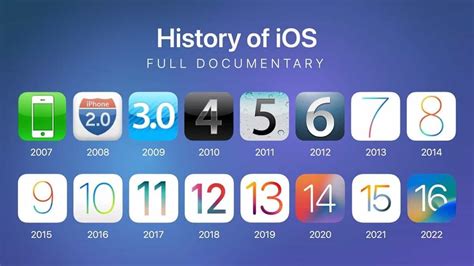
iOS versions statistics
iOS 26 Compatibility Overview
iOS 26 is compatible with iPhone models from the iPhone 11 through to the latest iPhone 17 Pro Max. The iPhone 17 features advanced hardware designed to fully leverage iOS 26’s capabilities, including enhanced Apple Intelligence models and the new Liquid Glass design for a stunning visual experience.
Each new version of iOS represents a new group of older iPhones that will be effectively cut off from major software updates, thus incentivizing their owners to spend money on a newer iPhone instead.
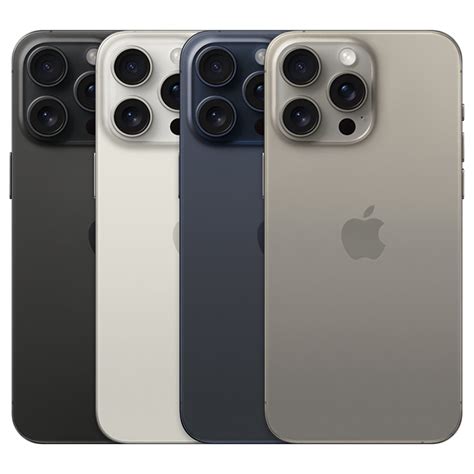
Every iPhone that supports iOS 26
- iPhone 11
- iPhone 11 Pro
- iPhone 11 Pro Max
- iPhone 12
- iPhone 12 Mini
- iPhone 12 Pro
- iPhone 12 Pro Max
- iPhone 13
- iPhone 13 Mini
- iPhone 13 Pro
- iPhone 13 Pro Max
- iPhone SE (second generation and later)
- iPhone 14
- iPhone 14 Plus
- iPhone 14 Pro
- iPhone 14 Pro Max
- iPhone 15
- iPhone 15 Plus
- iPhone 15 Pro
- iPhone 15 Pro Max
- iPhone 16
- iPhone 16 Plus
- iPhone 16 Pro
- iPhone 16 Pro Max
The phones left off this year's list are the iPhone XS, XS Max and XR.
That means every iPhone model older than iPhone 11 is out of luck here. iPhone X line owners who got iOS 18 last year will have to upgrade at some point if they want to take advantage of the new features iOS 26 brings to the table.
Read also: 1151 to 1200 Cooler Adapters
You can go ahead and pencil in the as-yet-unannounced iPhone 17, too.
Heads-up: Apple Intelligence isn't on all iPhone models
While all of the models above can install iOS 26, Apple Intelligence requires beefier hardware. Features such as Genmoji, Image Playground and the new Visual Intelligence search only work on:
- iPhone 15 Pro and 15 Pro Max
- iPhone 16 models
- iPhone 17 models
If you're on an older device, you'll still get all the design changes and everyday updates, but nothing involving Apple Intelligence.
iOS 26: 26 New Features for Apple’s New iPhone Software Update | WSJ
How to Check Your iPhone Model in Settings
To check if your iPhone model is compatible with iOS 26, follow these practical step-by-step instructions:
Read also: Sagittarius Relationships
- Open the Settings app on your iPhone.
- Scroll down and tap General.
- Tap About.
- Look for the Model Name listed at the top of the About page.
Users can check compatibility in the Settings app under General > About.
Not sure which iPhone model you own? On your iPhone, go to Settings > General > About and look at Model Name. If your phone isn't on the compatibility list, it will keep receiving iOS 18 security patches for a while, but you won't see any of iOS 26's new features.
Features Exclusive to Newer iPhones
iOS 26 introduces features exclusive to newer iPhone models that leverage advanced hardware capabilities. For example, the Dynamic Island, available on devices with the A16 chip and later, enhances how users interact with notifications and live translations, improving overall app experience.
Camera improvements include better low-light performance and advanced image processing powered by updated chipsets, delivering higher quality photos and videos in various lighting conditions.
Enhanced machine learning and visual intelligence features run more efficiently on newer hardware, providing faster and more accurate results.
To ensure you always have the latest iOS 26 features, enable automatic iOS updates in the Settings app under General > Software Update.
iOS 26 and its Impact on Your Existing App
With the release of iOS 26, many existing apps will experience changes due to the introduction of new system features, design language, and enhanced Apple Intelligence capabilities. The update brings a fresh Liquid Glass design, updated widget APIs, and new frameworks that improve how apps interact with the operating system and users.
For developers and enterprises using webview app development platforms like Median.co, it is essential to update your apps within the Median App Studio to ensure full compatibility with iOS 26. This includes adapting apps to the new UI elements, integrating Apple Intelligence features where applicable, and optimizing for performance improvements introduced in the latest operating system.
Updating your app in Median's App Studio will help maintain seamless functionality, leverage new iOS 26 features, and provide users with the best possible experience on supported iPhone models.
Frequently Asked Questions
Which iPhone models are compatible with iOS 26?
iOS 26 is compatible with iPhone 11 and newer models, including the iPhone 17 Pro Max and iPhone SE (2nd and 3rd generations).
How can I check if my iPhone is compatible with iOS 26?
To determine if your iPhone is compatible with iOS 26, navigate to Settings, select General, and then tap About to view your device's model name and number. Ensure that your model is listed among those supported by iOS 26.
What features are exclusive to newer iPhone models with iOS 26?
Newer iPhone models with iOS 26 include exclusive features such as Dynamic Island, improved low-light performance, and enhanced image processing capabilities. These advancements highlight the significant benefits of upgrading to the latest models.
What happens if my iPhone is not compatible with iOS 26?
If your iPhone is not compatible with iOS 26, it will remain secure with ongoing updates for iOS 18, though it will not have access to the new features of iOS 26. This ensures your device can still function safely despite lacking the latest enhancements.
Why are older iPhone models not compatible with iOS 26?
Older iPhone models are not compatible with iOS 26 because the update requires advanced hardware capabilities that these models do not possess. Consequently, users of older devices will miss out on the latest features and improvements.
How do I find my iPhone’s UDID for iOS 26 compatibility or app testing?
You can easily find your iPhone’s UDID (Unique Device Identifier) by using Median.co’s UDID tool.
tags: #ios #26 #device #compatibility #list