For many music enthusiasts, vinyl remains the ultimate format, offering a unique and nostalgic experience. The warm analog sound, the ritual of placing a record on a turntable, and the tactile pleasure of the album art all contribute to its enduring charm. Despite the rise of digital streaming, vinyl sales continue to grow, proving that our love for this format is here to stay.
With Sonos, you don't have to choose between streaming and vinyl. You can seamlessly integrate your turntable into your Sonos home sound system and enjoy the best of both worlds. This guide will walk you through the process of connecting a turntable to your Sonos system, allowing you to enjoy the rich sound of your favorite records throughout your home.
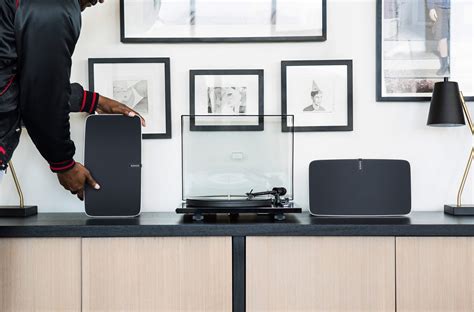
Step 1: Connecting Your Turntable to Your Sonos System
There are several ways to connect your turntable to your Sonos system, depending on the Sonos products you have. Here's a breakdown of the options:
- Era 300 and Era 100: These speakers have a direct line-in port. Use the Sonos Line-In Adapter and a standard stereo RCA to 3.5mm cable to connect your turntable. You can also connect via Bluetooth®.
- Five and Play:5: Plug your turntable directly into the line-in port on the back of the speaker using an RCA Y-audio cable.
- Amp: If you have a turntable and third-party speakers, connect them to the Sonos system using Sonos Amp and a stereo RCA audio cable.
- Port: If you already have an amplifier and speakers, Port lets you bring your vinyl collection into your multi-room Sonos system using an audio cable.
Important Note: Most new turntables have built-in preamps. If your turntable DOES NOT have a built-in preamp, you will need to plug your turntable into a preamp, then into your Sonos system.
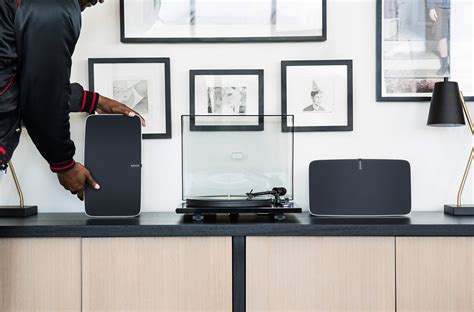
How To Play Vinyl On Sonos PLUS Our Top Tips
Step 2: Switching the Audio Source on Your Sonos App to Line-in
Once your turntable is physically connected, you need to tell your Sonos system to play audio from the line-in connection. Here's how:
Read also: Detailed Review of Arccos Golf
- Open the Sonos app on your phone or tablet.
- Go to the Browse tab.
- Select Line-in.
- Choose the Line-in source.
For added convenience, you can set up Autoplay, which will automatically switch your Sonos system to vinyl mode as soon as the needle drops.
Step 3: Adding Extra Speakers and Rooms
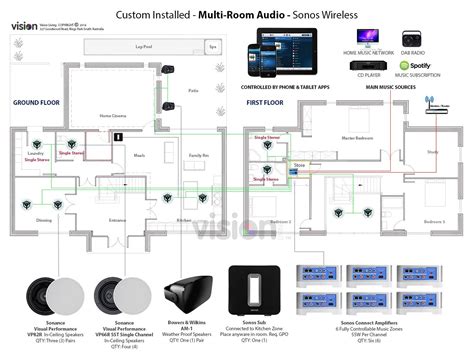
One of the great things about Sonos is its multi-room capability. If you have multiple Sonos devices in different rooms, you can group them together using the Rooms tab in the Sonos app. This allows you to spread the sound of your favorite vinyl throughout your entire home.
Bonus: Connecting a Turntable via Bluetooth®
Some newer turntables, like the T1 BT from Pro-Ject, have built-in phono preamps and Bluetooth® connectivity. This allows you to send audio to Bluetooth-capable Sonos speakers without a wired connection.
To connect via Bluetooth®:
- Set up your Sonos speakers over WiFi.
- Press and hold the Bluetooth® button on the back of the speaker until you hear a chime and the status light flashes blue.
- Connect to your speaker from your device's Bluetooth® settings.
Troubleshooting Common Issues
Here are some solutions to common problems you might encounter:
Read also: Apps for Oura Ring Users
- My turntable is not spinning, even though it is plugged in and on: Make sure you installed the belt properly.
- There’s a weird delay from when I put on the needle to when I hear my music: This is normal due to the processing time.
- Sonos does not recognize when my turntable is playing: Under the MUSIC ICON, make sure that you have LINE IN selected.
Compatible Sonos Speakers and Accessories
Here's a quick reference table of Sonos speakers and the accessories you might need to connect a turntable:
| Sonos Speaker | Connection Type | Required Accessories |
|---|---|---|
| Era 300 | Line-In, Bluetooth | Sonos Line-In Adapter, RCA to 3.5mm cable |
| Era 100 | Line-In, Bluetooth | Sonos Line-In Adapter, RCA to 3.5mm cable |
| Five | Line-In | RCA to 3.5mm cable (or RCA Y-audio cable) |
| Amp | RCA Input | RCA cable, Speakers |
| Port | RCA Input | RCA cable, Amplifier, Speakers |
| Move 2 | Line-In | Sonos Line-In Adapter, RCA to 3.5 mm cable |
Read also: What is S3-Compatible Storage?
tags: #sonos #compatible #record #player