The Wyze Solar Panel offers an eco-friendly and cost-effective solution to power your Wyze Cam Outdoor. It suits the power needs of the Wyze Cam Outdoor, making it the perfect accessory for anyone looking for continuous power without frequently replacing batteries. The Wyze Cam Outdoor is a versatile and weather-resistant outdoor security camera that operates on battery power.
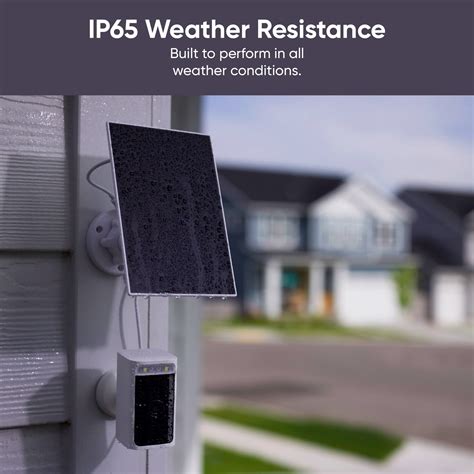
However, battery-operated devices can encounter difficulties maintaining consistent power, especially in remote or hard-to-reach locations. A solar panel is an effective solution to this challenge. While the Wyze Cam Outdoor is power-efficient, a solar panel can further enhance it by continuously charging the camera's battery during daylight hours. A solar panel ensures the camera remains operational for extended periods without interruption and keeps your Wyze cam outdoor recording non-stop.
Benefits of Using a Solar Panel with Wyze Cam Outdoor
- Continuous Power: Ensures uninterrupted operation of your Wyze Cam Outdoor.
- Eco-Friendly: Reduces the need for disposable batteries, contributing to environmental sustainability.
- Cost-Effective: Eliminates the ongoing expense of purchasing replacement batteries.
- Convenience: Simplifies maintenance by removing the need for frequent battery changes.
Weather Resistance
Outdoor devices, like the Wyze Cam Outdoor, are exposed to various weather conditions, from scorching heat to heavy rain and snow. Solar panels for Wyze cams are designed with robust, dust-proof, and weatherproof construction, ensuring they can withstand various weather conditions.
Easy Installation
Solar panels for Wyze Cam outdoor come with user-friendly mounting brackets, so you can easily mount your device anywhere. Whether you want to mount it on walls, roofs, or other surfaces with good sun exposure, the solar panel's flexibility allows you to choose the most strategic location for maximum solar energy absorption.
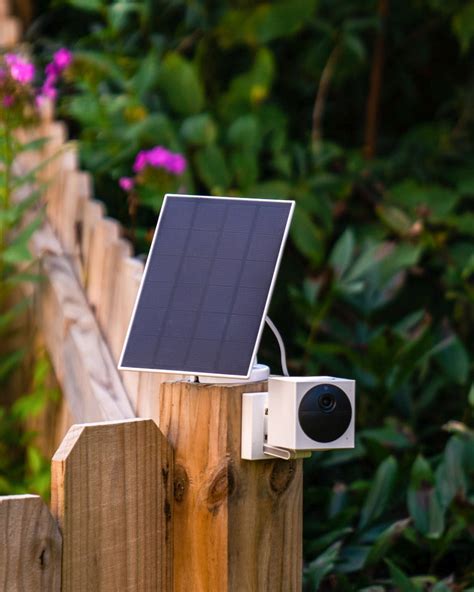
How to install: Wyze Solar Panel
Example: Wasserstein Solar Panel
The Wasserstein Solar Panel for Wyze Cam Outdoor offers 2W of solar power, ensuring your camera never runs out of battery. It features a unique 360-degree wall mount and a 13 ft adapter cable that allow you to easily position it in the best direction for maximum sunlight exposure.
Read also: Benefits of UFO Solar Lights
Installation Guide
- Select an Optimal Location: Look for a spot that receives abundant sunlight throughout the day for effective solar charging.
- Mount the Solar Panel: Using the provided mounting brackets and screws, securely attach the solar panel to the chosen location.
- Connect the Solar Panel: Locate the power input port on the back of your Wyze Cam Outdoor near the battery compartment.
- Adjust the Angle: Once the solar panel is connected, adjust its position to achieve the best angle for capturing sunlight.
- Verify Power: Turn on your Wyze Cam Outdoor, and verify that it receives power from the solar panel. Check the camera's battery status on the Wyze app to verify it is charging.
Monitoring Performance
After installation, monitor the performance of both your Wyze Cam Outdoor and the solar panel. Regularly check the battery level in the Wyze app to confirm the solar panel is charging the camera's battery.
Read also: Personal Power and the Solar Plexus Chakra
Read also: Solar Eclipse in Libra: A Deep Dive
tags: #wyze #solar #panel #compatibility