The Amazon Kindle is a popular e-reader device that allows users to read electronic books (e-books) in a digital format.
If you’re a Kindle user or thinking about getting one, it’s good to know about the file formats it supports. Not all eBook formats work on Kindle, so understanding which ones do is important.
Kindle devices and apps are designed to use Amazon's e-book formats: AZW that is based on Mobipocket; in fourth generation and later Kindles, AZW3, also called KF8; and in seventh generation and later Kindles, KFX.
Let's delve into the specifics of Kindle file formats and how to make the most of them.
Kindle's Primary File Formats
The main format used by Kindle devices is called MOBI. Kindle primarily reads MOBI format. Besides MOBI and AZW, Kindle devices can also read a few other file formats.
Read also: Color E-Readers Compared: Kobo Libra Colour and Kindle Colorsoft
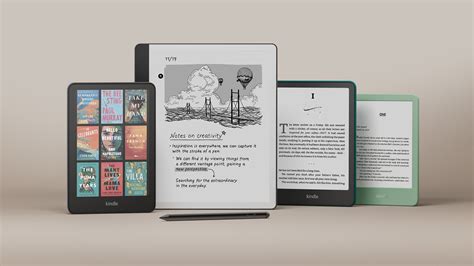
Here's a list of the most common formats:
- MOBI: The most commonly used format by Kindle.
- AZW: Amazon's proprietary format, similar to MOBI.
- AZW3 (KF8): An enhanced format that allows for advanced formatting options like extended typography, enhanced layout, and CSS support.
- KFX: The latest format, offering improved typography.
Additional Supported File Types
In addition to its primary formats, Kindle also supports a range of other file types:
- PDF: A widely used format for documents, but may not reflow text as well as other formats.
- TXT: This is a basic text format that Kindles can open.
- DOC and DOCX: These are the formats used by Microsoft Word.
- HTML: HyperText Markup Language.
- RTF: Rich Text Format.
- JPEG, GIF, PNG, BMP: Image formats.
- MP3: Audio format.
Understanding the Formats
Each of these formats has its own pros and cons on Kindle devices. Kindle e-readers primarily use MOBI and AZW formats, but they’re also compatible with a variety of other file types, including PDF, DOC, and image files.
It’s important to note that some Kindle devices may not support certain formats, so it’s always a good idea to check the compatibility of your file before publishing.
EPUB and Kindle
No, EPUB is not the native format for Kindle. However, that has since changed. Existing MOBI and AZW files in a Kindle Library are converted to the KF8 (.azw3) format, but adding new MOBI and AZW ebooks is no longer supported by Send to Kindle.
Read also: Which color e-reader is better?
Since almost all eBook vendors use EPUB files these days, you should default to the EPUB in almost every instance where you would need an eBook.
If you have MOBI, PRC, or AZW ebook files you want to add to your Kindle, you’ll need to use Calibre to convert them to EPUB format and then use Send to Kindle to get them into your Amazon Digital Content library. You can then find them filed under Docs, not Books. If you want them filed under Books, convert them to the AZW3 format in Calibre and copy them to the device directly via USB.
All Kindle devices can read the ebook once it’s added, regardless of where it’s filed.
Converting PDF to Kindle Format
Converting PDF files to Kindle format is a common practice for Kindle users who want to read PDF files on their devices. To convert a PDF file to Kindle format, you can use Amazon’s online conversion tool or third-party software.
Third-party software, such as MiniTool PDF Editor - Kindle format converter, can also convert PDF files to Kindle formats like Word formats, image formats, TXT, and HTML.
Read also: The Reflector: A Rare Human Design Profile
Formatting an E-Book for Kindle
If you’re an author looking to publish an e-book on Amazon, it’s important to format your book correctly for the Kindle device. The easiest way to do this is to use Amazon’s Kindle Create tool, which allows you to import your manuscript and format it for the Kindle.
Kindle Create also includes features such as page breaks, custom fonts, and image placement. If you prefer to format your e-book yourself, Amazon provides guidelines for formatting e-books for Kindle, which include using a supported file format, adding a table of contents, and optimizing images for the Kindle.
By using a supported file format and optimizing your e-book for the Kindle, you can ensure that your e-book is compatible with the device and provides the best reading experience for your readers.
Transfer any book format to KINDLE using CALIBRE || 2024
Why Choosing the Right Format Matters
Choosing the right format for your e-book when publishing on Kindle Direct Publishing (KDP) is another important matter to consider. One format that stands out is AZW3.
For starters, it allows for advanced formatting options like extended typography, enhanced layout, and CSS support. It provides the reader with a visually pleasing experience that closely resembles a print book. In addition, it supports various interactive features, such as pop-up footnotes and linked table of contents. Lastly, choosing AZW3 for your e-book means it will be readable on all Kindle devices and apps.
Key Considerations for Authors
As an author publishing content on Kindle, you know what a great platform it is for reaching your readers. But did you know there are different types of files and file formats that Amazon accepts for content delivery? Confused about which one makes the most sense to use when submitting content to Amazon?
As we’ve seen, there are a variety of file types available to authors who want to create successful e-books on Kindle. From AZW3, to KF8, EPUB, and Mobi 8 - it takes a deep understanding of each format to be able to choose the best one for your needs.
tags: #kindle #file #type #compatibility